
At Firefinch we work with companies developing a range of life science products – from laboratory instrumentation to AI-guided diagnostic tools. The product designers that we work with want their software to be user-friendly and intuitive, but they also need it to be compliant with a dizzying array of standards and regulations.
In reality, how the software guides user behaviour directly affects compliance outcomes.
Good UX in life sciences is not about aesthetics, it’s about making the right action the easiest, most obvious action.
This guide will cover the principles, the practical techniques, and the development process decisions that make user-centric design work in a regulated life science context, including GMP instrumentation and medical devices.
What is user-centric design in a life science context?
In a regulated environment, a user-centric design means designing your product so that it guides users towards the correct behaviour and makes deviation difficult. The idea of guiding users towards the correct behaviour is exemplified in the “pit of success” principle, where well-designed software makes it easy to succeed and hard to fail. Surprise is the enemy of compliance i.e. if your users click on a button, and are surprised by what the software does, then your design has failed.
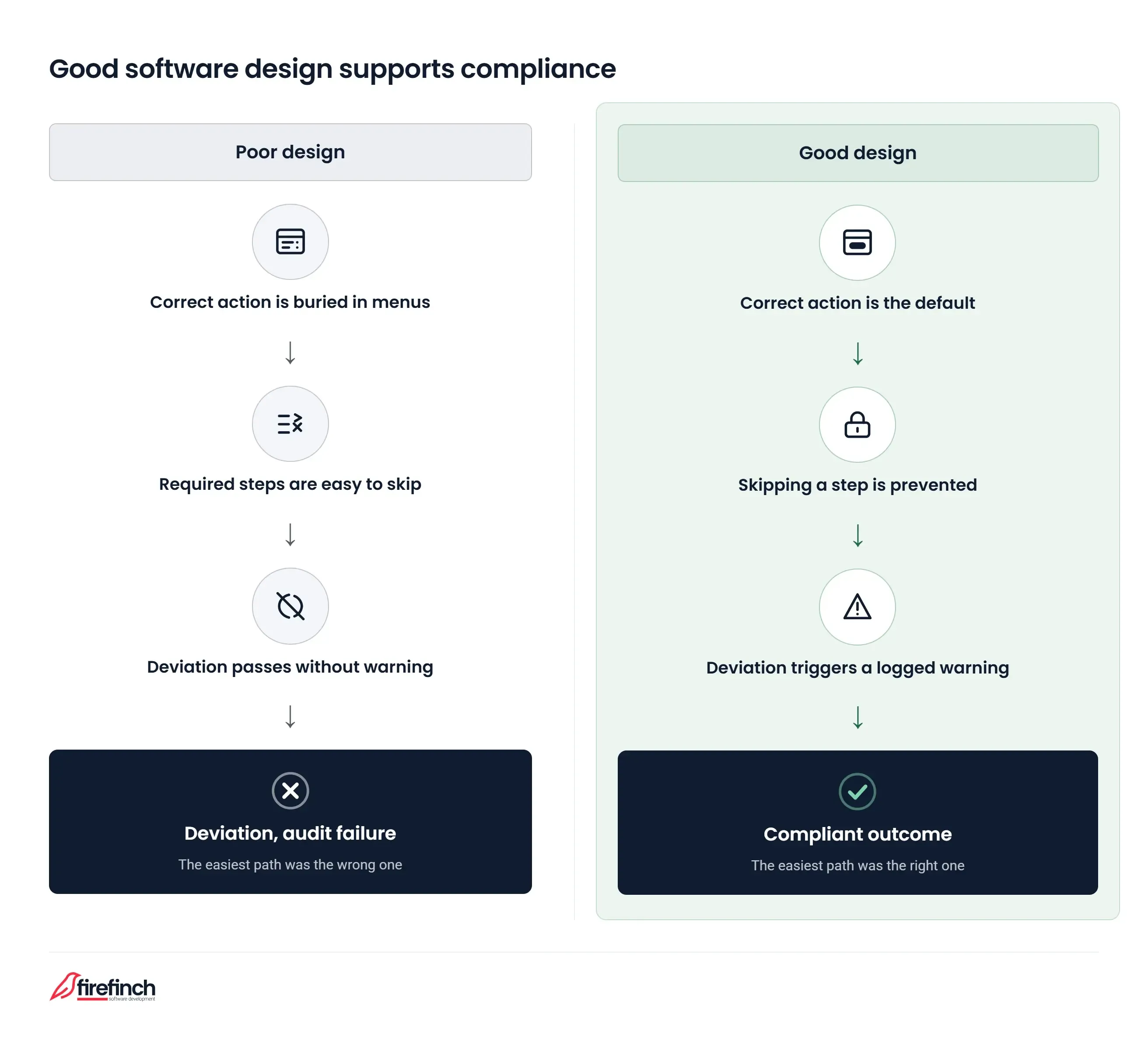
User-centric design matters more in life sciences than in many other sectors. A confused user doesn’t just have a bad experience - they may create a deviation, compromise data integrity, or fail an audit. The level of risk is higher if the failure point is a critical part of pharmaceutical manufacture or in a medical device.
Ultimately, software with intuitive, compliance-supporting interfaces is easier to sell into regulated environments
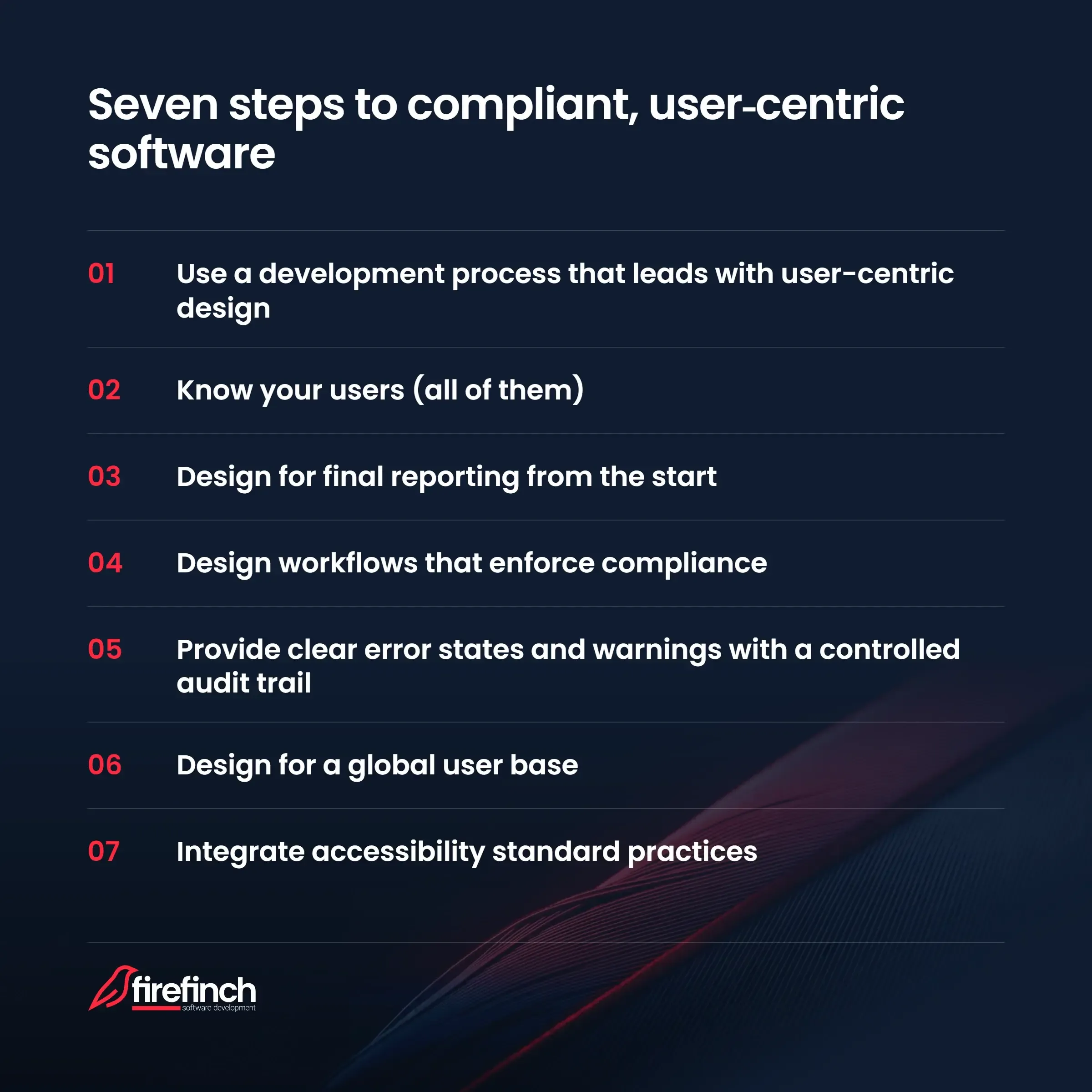
In Firefinch’s experience, teams developing new life science products come across a few key challenges when developing their software. We have therefore identified these seven steps to help build compliant, user-centric software to help you save time and effort in your development process.
1. Use a development process that leads with user-centric design
User-centric design doesn’t happen by accident. It requires a development process that creates space for it at every stage. Many market leaders use a stage gated model in their product development process, running from discovery and ideation through to post-market feedback:
-
Stage 1 – Proposal: initial user research
-
Stage 2 – Technical Feasibility: voice of customer analysis and persona definition
-
Stage 3 – Prototyping: testing with real users across roles, including QA and audit personas
-
Stage 4 – Testing and Validation: validation testing that includes usability as a criterion, not just functional performance
-
Stage 5 – Launch: first in-market feedback from customers
-
Stage 6 – Post Market Surveillance/in-service feedback: user feedback informs design improvements
This model also means that the responsibility for user experience is carried by the whole team (product owner, QA lead, and development team) at each stage of development.
2. Know your users (ALL of them)
Established leaders in regulated life science products invest a lot of time and effort getting to know their users. These companies know that there is not just one type of user that will use their product, but a wide range of user profiles, each with different requirements and data access controls.
| Technician | Lab manager | R&D Scientist | IT admin | QA manager/Auditor |
|---|---|---|---|---|
|
Streamlined process with minimal options. Requires final result only. Calibration sign off. Simple data export. |
Requires overview of results over time. View and approve method development. Validation parameter access. Data visualisation and exports for reporting. |
Method development views. Options to access additional features. Raw data access and export functions. |
Data backups and restoration options. Access and implementation of system updates. Manages data flow through facility. Requires interoperability. |
Access to data on operating parameters. Data on long term drift of data and data models. Validation parameter access. Reports on deviations from SOPs. |
It is very common for less experienced engineers to design their software with only one user persona in mind. The risk is that when you want to sell your product into a regulated space, QA managers, who must defend the system to auditors, will also be part of the decision-making process. If the software doesn’t also fulfil their needs, then the company may not invest in your product.
A well-designed voice of the customer (VoC) exercise is therefore important during the initial design of your product. This kind of user research needs to happen before prototyping, not after. This research will help you explicitly position the understanding of user and process requirements as a key development input from the outset.
The personas that you build at this stage will inform the user stories that are used to design User Requirement Specifications (URSs):
-
As a technician, I want to be able to enter only valid types of data into the form, so that I’m sure mistakes are minimised.
-
As a lab manager, I want to export the data into a universal format, so that I can produce reports on lab activity.
-
As a QA manager, I want to see data around operating conditions and any reported deviations from normal, so that I can react to any changes in quality.
Understanding user requirements early in development drives better design decisions around workflow enforcement, error states, and access control.
3. Design for final reporting from the start
Another common mistake is to consider how the software will report results after engineering is complete. In reality, it is important to consider reporting requirements at the start of your design process.
When considering the users of your software, it is important to consider what outputs they expect to see (the user requirements). Work backwards from the report: what does each user of the instrument need to see and what data must therefore be captured?
A technician, for example, is likely to be less interested in the process used to produce the data but requires a clear data output and report. QA staff, on the other hand, will need to have access to data at different stages of the process and any deviations from standard operating procedures. In a regulated context, reports must also be readable by auditors, so clarity and traceability of data lineage are vital.
An example of poor reporting design: The Excel export problem
A common poor reporting pattern in regulated labs is users exporting to Excel, where calculations and formatting happen outside the validated environment. This means that the report produced is not traceable to the validated system. This is a design failure; the instrument software didn’t produce a usable, compliant report, so users found a workaround.
Once data analysis is complete, export formats should be open and interoperable, not proprietary. This reduces risk to your users and helps them operate workflows between lab equipment.
4. Design workflows that enforce compliance
Once you have your full user requirements, they are translated into design inputs/specifications, which push users to use the product correctly:
-
The system shall perform input data validation in all user-filled fields to prevent incorrect data input.
-
The system must be able to export data into universally recognised formats (CSV/TSV or JSON)
-
The system shall support the exchange of interface text for translation in a standard format (XLIFF).
-
The exported reports must be rendered according to pre-approved standards and formats.
In practice, the pit of success principle means that standard operating procedures (SOPs) should be enforced through software workflow.
A workflow design that reduces deviation risk might include:
-
Guided step-by-step workflows that prevent skipping steps
-
Contextual warnings when inputs fall outside expected parameters
-
Mandatory fields and confirmation prompts at critical decision points
An example could be a workflow where a blank and a sample need to be inserted into specific parts of an instrument. A guided workflow can prompt the user to insert the sample and the blank. This may be strengthened using colour coding of tubes that matches labels on software or by using barcode scanning. The software might display a contextual warning if the blank appears to contain sample. Mandatory confirmation that the sample and blank have been inserted correctly can also reduce errors.
A key principle for workflow and UX design is having an appropriate risk assessment (such as Failure Mode and Effects Analysis (FMEA)). This is underpinned by ICH Q9(R1), which guides risk management in the pharmaceutical industry and ISO 14971 (risk management) and IEC 62366-1 (usability relating to safety) for medical devices. Output from the risk analysis should drive UX design decisions. In practice, this means that every risk that needs control should have a documented risk control measure, with design changes preferred over warnings or labelling.
The end-user interface should present only what is needed for the intended use: simplicity is a feature, not a limitation.
5. Provide clear error states and warnings with a controlled audit trail
When using a piece of software, it can be really frustrating to have an error message that is unhelpful or that you don’t understand.
Part 11 and Annex 11 require audit trails for the creation, modification and deletion of GMP-relevant records (21 CFR 11.10(e), EudraLex, Volume 4, Annex 11, Clause 9). Good design goes further and logs safety-critical warnings and overrides too. Audit trails must be computer-generated and include date, time, original entry, reason for change and operator identity.
In a design context, errors should be informative, actionable, and logged - never silent or dismissible without record. A good error design will include:
-
A clear, plain-language description of what went wrong and what to do
-
A forced acknowledgement for safety-critical warnings
-
A logged record of the warning, the user who saw it, and what action they took
A well-designed error and warning system turns potential deviation events into documented, explainable records, which is exactly what auditors want to see.
The MHRA GxP Data Integrity Guidance and Definitions (March 2018) is a useful, practical interpretation of audit trail requirements.
6. Design for a global user base
Where you intend to sell your instrument will make a big difference to your user design. Many instrument manufacturers sell globally so localisation is key to design, not a late-stage translation task (see our related blog article on software localisation)
Getting the software localisation wrong carries compliance risk. Users operating software in a language they don’t fully understand are more likely to deviate from SOPs, misinterpret warnings, or make data entry errors.
What this means in terms of user-centric design is:
-
Localisation support should be built into the software using standardised export formats (CSV/TSV, JSON, XLIFF)
-
All menus and text fields should be tested in every target language
-
You should ensure text boxes can accommodate longer strings (some languages expand significantly from English)
Localisation requirements should be documented in the Quality Management System (QMS) and SOPs, not managed informally.
7. Integrate accessibility standard practices
Another aspect to consider when designing your user experience is accessibility: how do you ensure fonts and colours are usable to a broad range of users?
There are some simple tools that you can include in your software to make the user experience better for people with common disabilities:
-
Fonts for dyslexia. Some users with dyslexia prefer fonts such as OpenDyslexic https://opendyslexic.org/. Including a font alternative can improve the user experience.
-
Backgrounds for text. For reading text on background, common guidance is to have a decent contrast between the two colours (defined by WCAG https://www.w3.org/WAI/WCAG22/Understanding/contrast-minimum.html). Ensure there is sufficient contrast and consider an option of a dark background with white text, which some users prefer.
-
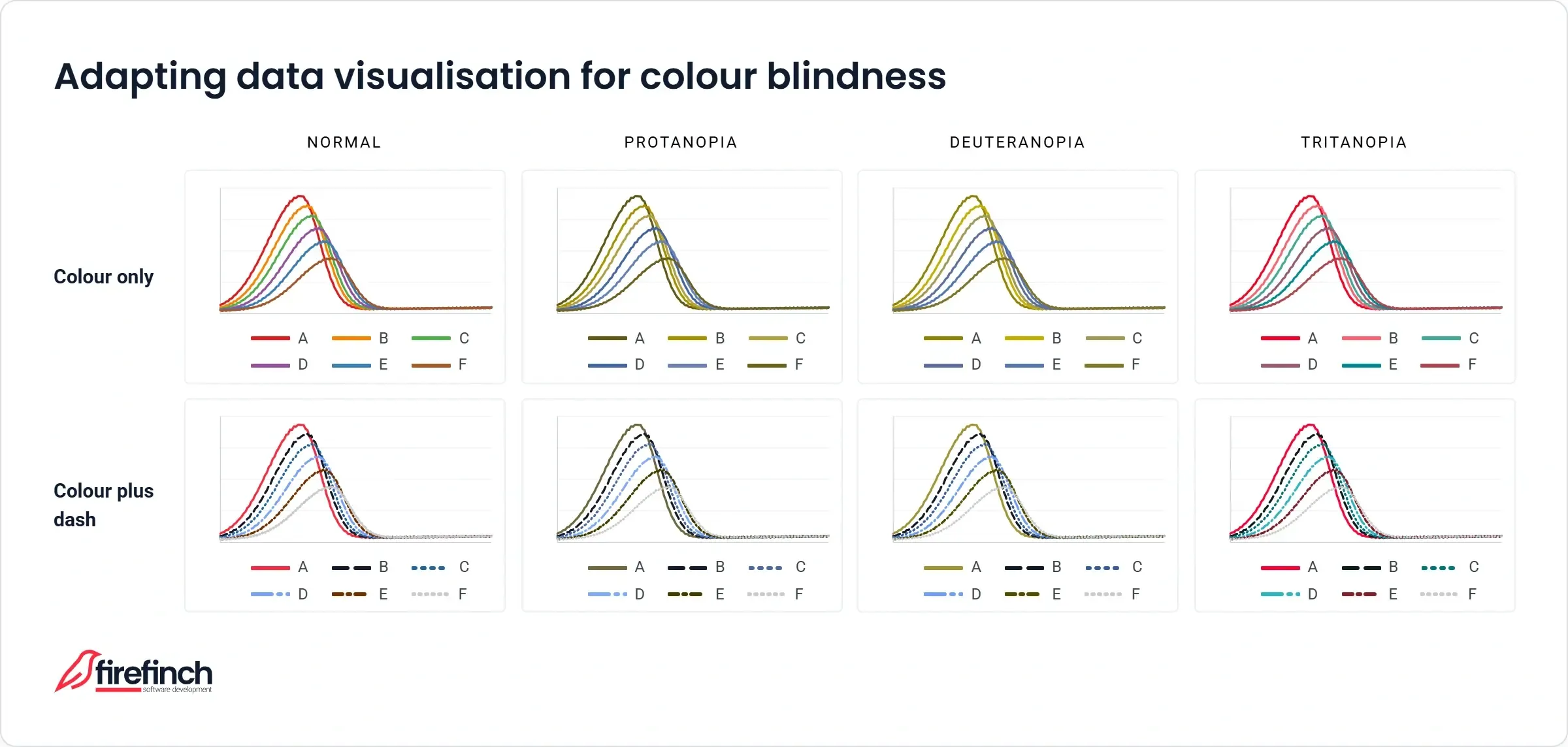
Colours in data visualisations. For data visualisations, colours should be distinct across different colour vision deficiencies. Where it is not possible to have distinguishable colours, data can be differentiated using patterns or dash types. For more on colour maps see this article: https://research.google/blog/turbo-an-improved-rainbow-colormap-for-visualization/
-
Text to speech and voice commands: Depending on the context where your product will be used, it may also be sensible to include voice controls and/or reading of results.
-
Text sizes: Some users may need to increase text sizes. Ensure interfaces and text boxes adapt to text sizes.
Conclusion: user-centric design guides behaviour to correct use of your product
Across this guide, we’ve covered seven ways to build compliant, user-centric software:
-
Lead your development process with user-centric design
-
Know all your users, not just one persona
-
Design for final reporting from the start
-
Design workflows that enforce compliance
-
Build clear, logged error states and audit trails
-
Design for a global user base
-
Integrate accessibility as standard practice
The thread running through all seven steps is that every design decision should trace back to a design input, and every design input should trace back to a user requirement. In medical devices this traceability is enforced through EU MDR/IVDR and the FDA’s QMSR; at GMP level Annex 11 requires user requirements to be traceable throughout the lifecycle. Good user workflows reduce deviations, improve safety, and make regulatory compliance easier to manage, which is also just good software.
Want a second pair of eyes on your software? Firefinch specialises in life science software for companies navigating exactly this overlap: user experience and regulatory compliance. If you’d like a quick review of how your current design decisions trace back to your user requirements, get in touch with Isabel for a chat.
Further reading: our related blogs on GMP Compliance, Regulated Software Translation and GDocP.